
SSO or not SSO – That is the question..
Before the migration to the new Kolab Now environment, users had to give their login credentials twice to get into the Kolab webmail client. First at https://kolabnow.com/login and later after pressing the Webmail button. You could also make use of the direct URL https://kolabnow.com/apps – in all instances the credentials would be validated against the same LDAP internally.
Many users found that a cumbersome procedure, and the number of support tickets suggesting to do a more modern authentication was high. The Kolab team took a little time to evaluate such solutions.
SSO was finally implemented in the latest new environment. With the new SSO solution, the Webmail client can use an OAuth token instead of credentials, further improving security.
The new SSO authentication system is created and run by the Kolab Now team using the standard OIDC protocol. It is only the cockpit and the Webmail client authenticating against this SSO. No 3’rd party provider is involved. Access from external clients is separate from the SSO authentication.
We had expected from the previous user feedback, that this would be received well. However, it turned out, that many users were not found of, or for one or the other reason unable to use, SSO.
Hence we have made a change:
The new situation is as follow: Whether you login via the Webmail button at https://kolabnow.com/dashboard or you use the direct URL https://kolabnow.com/apps, you will get to this page:
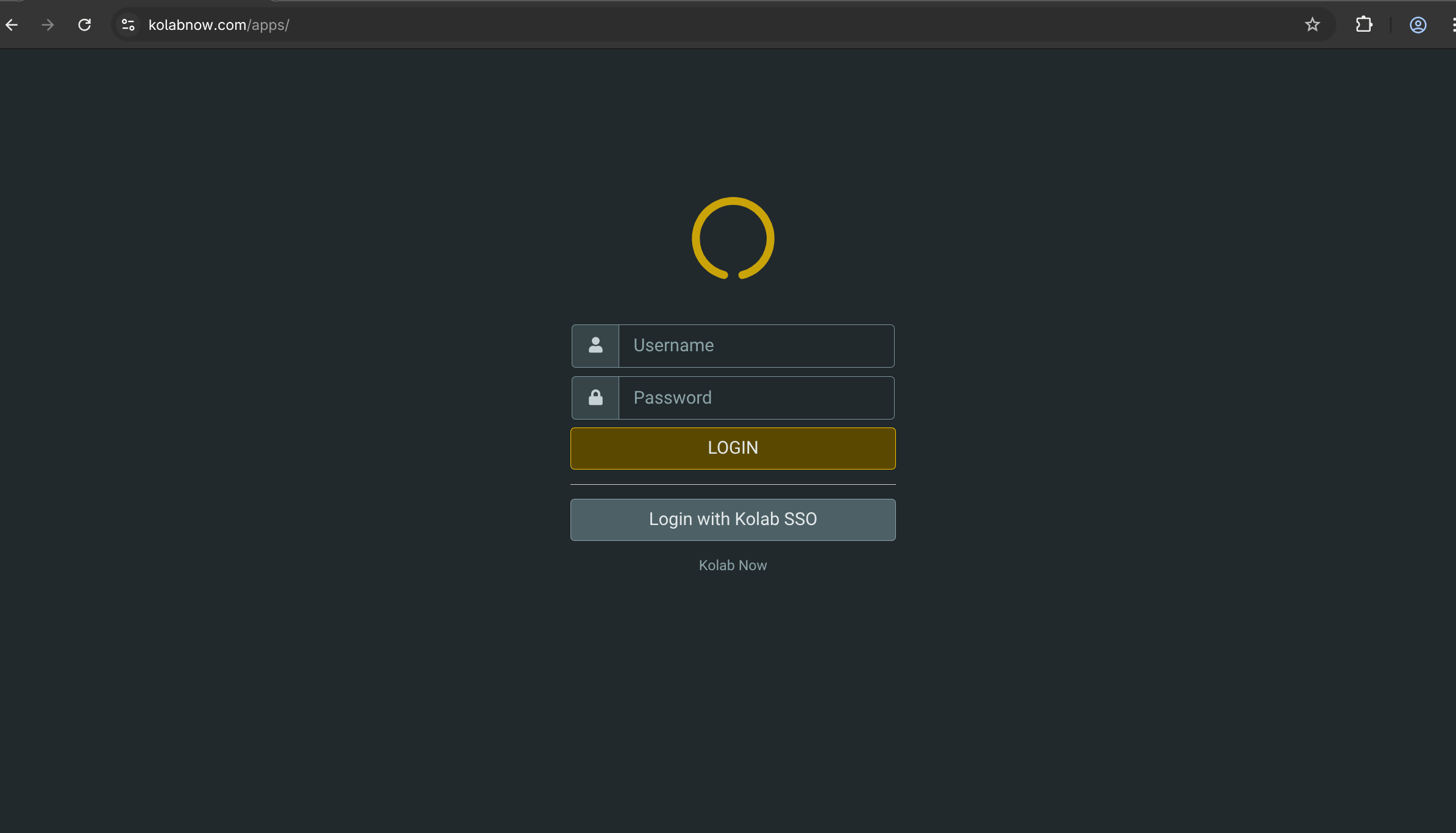
Here you get to select your authorization method: Do you want to login with the classic Username/password, or do your want to use the new SSO.
Please note, that if you already tested the SSO solution and want to change this, you will need to restart your browser to break existing sticky TCP connections.
Some users (You know who you are) has made suggestions for improvements. We thank you for your contribution. We are very happy for such feedback. We are going to investigate the potentials of those suggestions, and make updates and news about updates here on this blog.
We regret the inconvenience and interruptions that the SSO introduction has caused.